

I reviewed IWIHOST from a budget-envelope perspective. VPS buyers often start with a number in mind – around $5, $10, $25, $50 or $100 per month – and then try to force the workload into that spend. A better review asks what architecture is realistic inside each envelope, what operational responsibilities remain with the customer, and when increasing the budget actually solves a measured resource constraint.
IWIHOST advertises KVM virtualization, NVMe storage, ECC RAM, dedicated IPv4, DDoS protection, 500 Mbit/s ports on current plans, many global locations and 24/7 support. The plan ladder runs from a $4.99 Core tier up to much larger configurations. That makes the service well suited to a budget-path review because the buyer can start small and move through clearly defined resource levels without changing provider immediately.
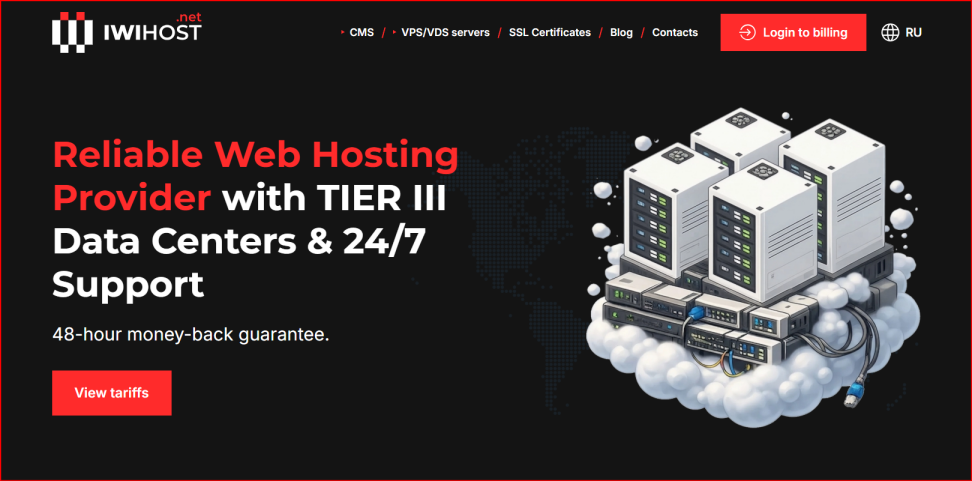
IWIHOST homepage screenshot used as the visual reference for this budget-envelope architecture review.
| Budget rule A larger plan is not automatically a better architecture. Buy enough headroom for the measured workload, then spend the remaining budget on backups, monitoring, security and operational resilience. |
The plan ladder
| Plan | vCPU | RAM | NVMe | Monthly |
| Core | 1 | 1 GB | 10 GB NVMe | $4.99 |
| Shield | 2 | 2 GB | 30 GB NVMe | $6.99 |
| Armor | 2 | 4 GB | 50 GB NVMe | $8.99 |
| Bastion | 4 | 8 GB | 70 GB NVMe | $14.99 |
| Stronghold | 6 | 12 GB | 90 GB NVMe | $21.99 |
| Fortress | 8 | 16 GB | 150 GB NVMe | $29.99 |
| Titan | 12 | 24 GB | 200 GB NVMe | $44.99 |
| Legend | 16 | 32 GB | 300 GB NVMe | $64.99 |
| Mythic | 24 | 48 GB | 400 GB NVMe | $94.99 |
The ladder is broad enough to support lightweight utilities, small websites, application stacks, databases and larger multi-service deployments. The exact traffic allowance and regional availability should be verified for the chosen location. Pricing is a snapshot, not a permanent guarantee, so the checkout page remains the final source before purchase.
Budget envelope 1 – around $5/month
Core is the entry point: 1 vCPU, 1 GB RAM and 10 GB NVMe at $4.99 in the current snapshot. I view this as a utility server, lab, VPN endpoint, low-traffic static or lightweight website, monitoring node, small bot, or learning environment. One gigabyte of RAM leaves little room for a heavy CMS plus database, large control panel or several containers. The architecture should stay intentionally small.
At this budget, the biggest mistake is installing too much software. I would choose a minimal operating system, enable a firewall, use key-based SSH, limit background services and monitor memory closely. If the workload needs a database, the configuration should be deliberately small. Backups should live outside the VPS because the server itself is too inexpensive to justify treating it as the only copy of important data.
Budget envelope 2 – around $10/month
Shield and Armor sit around this zone, with 2 vCPU and 2-4 GB RAM depending on plan. That extra memory changes the practical architecture. A small WordPress site, lightweight API, modest database, reverse proxy, automation stack or a few carefully limited containers become more comfortable. I would still avoid assuming that every workload belongs on one machine simply because there is now more RAM.
This is often the first tier where a small production website can have reasonable headroom if traffic is modest and the application is well tuned. Monitoring should track RAM, CPU, disk usage, load, service health and backup completion. If the site begins swapping heavily or the database competes with the application for memory, the next step should be based on measurements rather than guesswork.
Budget envelope 3 – around $25/month
Stronghold at $21.99 and nearby tiers move the buyer into 6 vCPU / 12 GB RAM territory. This is enough for a more serious application stack, several containers, a medium database, staging plus production services on one host, or an internal platform. The danger changes: the machine is now powerful enough that teams may put too many unrelated services on it. Resource headroom can hide poor architecture until one service fails and affects everything else.
At this budget I would invest in service separation inside the host, resource limits, log rotation, automated backups and a documented restore procedure. If the application is important, a second small monitoring or backup node can provide more resilience than spending the entire budget on a single larger server.
Budget envelope 4 – around $50/month
Titan at $44.99 delivers 12 vCPU, 24 GB RAM and 200 GB NVMe in the current plan table. That can support substantial application workloads, databases, build runners, game-control services, private cloud software or multi-container environments. At this point, performance tuning and observability matter more than basic capacity. CPU saturation, storage latency, backup windows and network transfer patterns should be measured separately.
A single $45 VPS can be impressive, but it is still one failure domain. For business-critical services I would consider whether two smaller servers, a separate database, an external backup target or a warm standby creates more useful resilience than one very large machine. The provider supplies infrastructure; architecture still belongs to the customer.
Budget envelope 5 – around $100/month
Mythic is listed at $94.99 with 24 vCPU, 48 GB RAM and 400 GB NVMe. This is large enough that the question is no longer merely whether the server can run the application. The buyer should ask whether one server should run the application. High-capacity single-node deployments can simplify administration, but they also concentrate risk. If the workload justifies this spend, it may also justify separation, redundant backups, monitoring from another region and a rehearsed recovery plan.
Location, network and traffic considerations
IWIHOST promotes 40+ locations, and regional choice can be a major advantage for latency-sensitive sites or compliance-driven deployments. Country name alone does not guarantee the best route. I would test latency and path quality from the actual audience, verify the traffic allowance for that region, and confirm the 500 Mbit/s port terms shown on the current plan page. A cheaper region with a poor route can cost more in user experience than a slightly more expensive well-connected region.
KVM, NVMe and ECC: what those labels mean in practice
KVM gives the VPS a strong virtualization boundary and full operating-system control. NVMe storage is appropriate for modern application and database workloads, but the label does not guarantee a fixed IOPS number. ECC RAM is a positive infrastructure characteristic for server reliability. I would treat these as architecture ingredients, not benchmark results. The only performance numbers that matter are the ones measured with the real workload after deployment.
Support, activation and buyer due diligence
IWIHOST advertises 24/7 support and fast activation. I would test the support channel early with a specific technical question and document the escalation path before the VPS becomes critical. A useful ticket includes the server ID, location, time, observed symptom, relevant logs and troubleshooting already completed. That helps separate platform issues from operating-system or application configuration.
For a second editorial perspective, compare the live provider information with the existing HostAndProxy IWIHOST review. The provider checkout should still be used to confirm the final region, plan availability and current terms.
What every budget still needs
| Control | $5-$10 | $25-$50 | $100-class |
| Backups | External copy | Automated + restore test | Multi-copy + recovery plan |
| Monitoring | Basic resource alerts | Service + resource monitoring | External + service-level monitoring |
| Security | Keys + firewall + updates | Plus least privilege + secrets hygiene | Plus change control + incident plan |
| Resilience | Rebuildable config | Consider second node | Avoid single-node dependency where possible |
| Strengths | Limitations / checks |
| Low $4.99 entry pointBroad resource ladder up to large VPS plansKVM virtualization and NVMe storageECC RAM and dedicated IPv4 are advertisedMany global locations500 Mbit/s ports on current plans24/7 support positioning | Unmanaged VPS use still requires system administrationSmall plans have limited RAM headroomLarge plans can encourage risky single-node designsTraffic terms vary by location and should be confirmedNVMe label is not a guaranteed benchmarkBackups and recovery remain customer responsibilities |
Budget-envelope verdict
IWIHOST is compelling because the buyer can match the workload to a wide range of monthly envelopes without changing the basic platform model. The smartest path is to start with enough headroom, monitor real constraints and spend part of the budget on resilience instead of automatically buying the largest server. Current plans and region-specific terms can be verified on the official IWIHOST VPS page. The right VPS is the smallest architecture that meets the workload and recovery requirements comfortably.
FAQ
Is the $4.99 Core plan enough for production?
It can handle lightweight production tasks, but 1 GB RAM leaves limited headroom for dynamic application stacks.
Which budget is more comfortable for WordPress?
Around the Armor/Bastion range is usually more flexible than 1 GB entry plans, depending on traffic and plugins.
Does a larger VPS improve reliability?
It improves capacity, not necessarily resilience. A single large node can still be a single point of failure.
What should I verify by location?
Latency, route quality, traffic allowance, current plan availability and any regional terms.
When should I upgrade?
After monitoring identifies sustained CPU, RAM, disk, network or application constraints.