

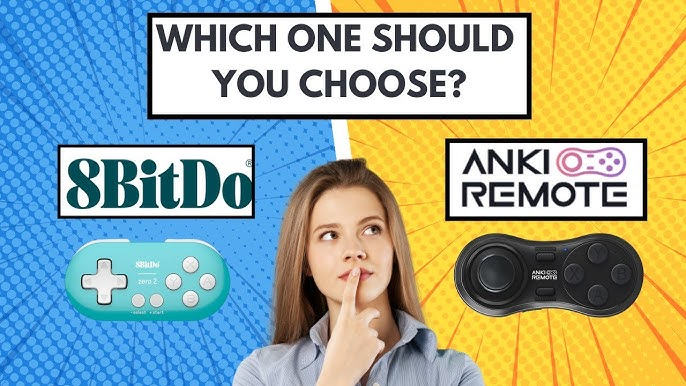
An Anki-focused remote and a presentation clicker solve different control problems. A presentation clicker is mainly built for slide navigation, often with a few buttons for moving forward and back, while an Anki remote is meant to send review actions to Anki or compatible study apps. If your main task is reviewing flashcards, start with the actions you need, then check whether the device can send inputs that your app recognizes.
MODI is an independent Bluetooth accessory for Anki workflows, not an official Anki, AnkiMobile, AnkiDroid, Apple, Google, Microsoft, Amazon, Logitech, or Quizlet product. That distinction matters because the remote does not change Anki scheduling or guarantee app support by itself. It sends inputs; the active app decides what those inputs do. For a concrete example of these controls in one device, purpose-built Anki remote documents its supported platforms, connection modes, and setup paths.
Intended Use
A presentation remote is designed around presenting, so its controls usually reflect that job: advance a slide, go back, maybe start a slideshow, blank a screen, or use a pointer, depending on the model. Logitech’s R500s, for example, is a presentation-focused device with three primary controls, Bluetooth or USB-receiver connectivity, slide navigation, and a laser pointer. Those choices make sense in a room where the slide deck is the main interface.
An Anki remote has a narrower study-control purpose. MODI’s Keyboard Mode includes preset inputs for actions such as Again, Hard, Good or Next, Easy, Undo, Suspend, Escape, Spacebar, and direction-key navigation. Its Switch Mode defaults include Space or Good, Easy, Again, Replay Audio, Hard, and Undo. The practical question is not whether one category is universally better; it is whether the buttons match the review actions you expect to use repeatedly.
Controls
Button count matters because Anki reviewing can involve more than moving forward and backward. Desktop Anki supports common keyboard controls such as Space or Enter to reveal an answer or choose Good, and 1 through 4 for answer buttons when those buttons are available. A simple PowerPoint clicker may expose only a small set of recognized inputs, so it might handle basic navigation while leaving answer grading, undo, replay, or suspend unavailable.
MODI’s advantage in this comparison is that its documented controls are organized around flashcard review rather than slide decks. That does not mean every app will accept every button automatically, and it does not make the remote part of Anki itself. It means the starting layout is closer to common review actions. A presentation clicker can still be reasonable when the user only needs directional or Spacebar-style input in software that accepts it.
Connections
Connection method is another dividing line. MODI uses Bluetooth 2.1 and has two connection modes. Keyboard Mode is intended for macOS, Windows, and Linux desktop use with preset keybindings, without requiring the optional MODI Anki add-on for the default workflow. Switch Mode exposes gamepad-style inputs and is the standard MODI path for AnkiMobile on iPhone and iPad and AnkiDroid on Android, where app-level control settings are available.
Presentation remotes vary more by model. Some connect over Bluetooth, some use a USB receiver, and some support both. The Logitech R500s is one example with Bluetooth or USB-receiver connectivity, but another PowerPoint remote may behave differently. That variation is not a problem if you are presenting from a laptop with a spare USB port. It becomes important when you want to use a phone, tablet, browser app, or study app with specific input expectations.
Remapping
Remapping separates a flexible controller from a fixed shortcut sender. On desktop, MODI can work in Keyboard Mode without an add-on, but users who want custom desktop remapping can use Switch Mode with the optional MODI Anki add-on. Desktop Anki add-ons extend Anki and can need updates after Anki changes, so they should be treated as an extra configuration path rather than a requirement for every MODI desktop setup.
Presentation clickers may also offer customization, but it depends on the maker’s software, operating-system support, and what the device exposes. Logitech Options+ can customize supported functions for compatible Logitech devices, subject to Logitech’s current support. That is different from being Anki-specific. Before buying any presentation clicker for flashcards, confirm whether its recognized inputs can be mapped inside the target app or through supported software on the device you will actually use.
Compatibility
App compatibility is not the same as Bluetooth pairing. A device can connect successfully while still failing to trigger the desired action if the app does not listen for that input. AnkiMobile supports configurable gamepad actions when iOS recognizes the controller profile. AnkiDroid has its own controls area for key binds. Desktop Anki accepts keyboard shortcuts, and it can be extended with add-ons, but each route depends on the active mode and configuration.
This is where broad claims about a presentation clicker or PowerPoint clicker become risky. A clicker that works well in slide software may not expose the answer buttons an Anki reviewer wants. MODI also should not be described as universally compatible with every website, browser, or third-party app. Compatibility depends on whether the current keyboard or gamepad input is recognized, then whether the app lets the user assign or use it usefully.
Checklist
Use a short checklist before choosing. First, name the primary job: slide presenting, desktop Anki reviewing, mobile Anki reviewing, or mixed use. Second, list the actions you need, such as reveal, Good, Again, Hard, Easy, undo, replay audio, or basic navigation. Third, confirm the connection path available on your device, especially Bluetooth versus USB receiver. Fourth, verify whether remapping is handled by the study app, an add-on, or manufacturer software.
There is no universal winner. Choose an Anki-focused remote when your priority is repeated flashcard review with controls shaped around Anki-style actions. Choose a presentation remote when the main job is slide navigation and the smaller control set is enough. If you are trying to use one device across both worlds, test the recognized inputs in each target app before depending on it, because pairing, button labels, and actual commands can be separate issues.